MCP Server Ready

Autonomous AI Developerson Your Infrastructure, on Any Model

mcptask.online - hand off a well-defined task in the evening, wake up to a merged PR and draft invoices. Your AI agents run on your machines against your real tests, on premium or cheap models - you pick.

  • dns
    Model-agnostic, no lock-inRun Claude, GPT, Gemini or any open-weights model. Switch anytime. Pay for cheap inference, not premium APIs.
  • smart_toy
    On your infrastructureAgents run on your machines, against your real database and your real tests. Your data never leaves your infra.
  • merge
    Task in, merged PR + invoice draft outThe same lifecycle from backlog to Fakturoid / iDoklad invoice. No other tool covers the whole loop.
  • groups
    Manage projects from chatManage your project from Claude Cowork, Claude Desktop or any MCP client. Same queue as the agents.

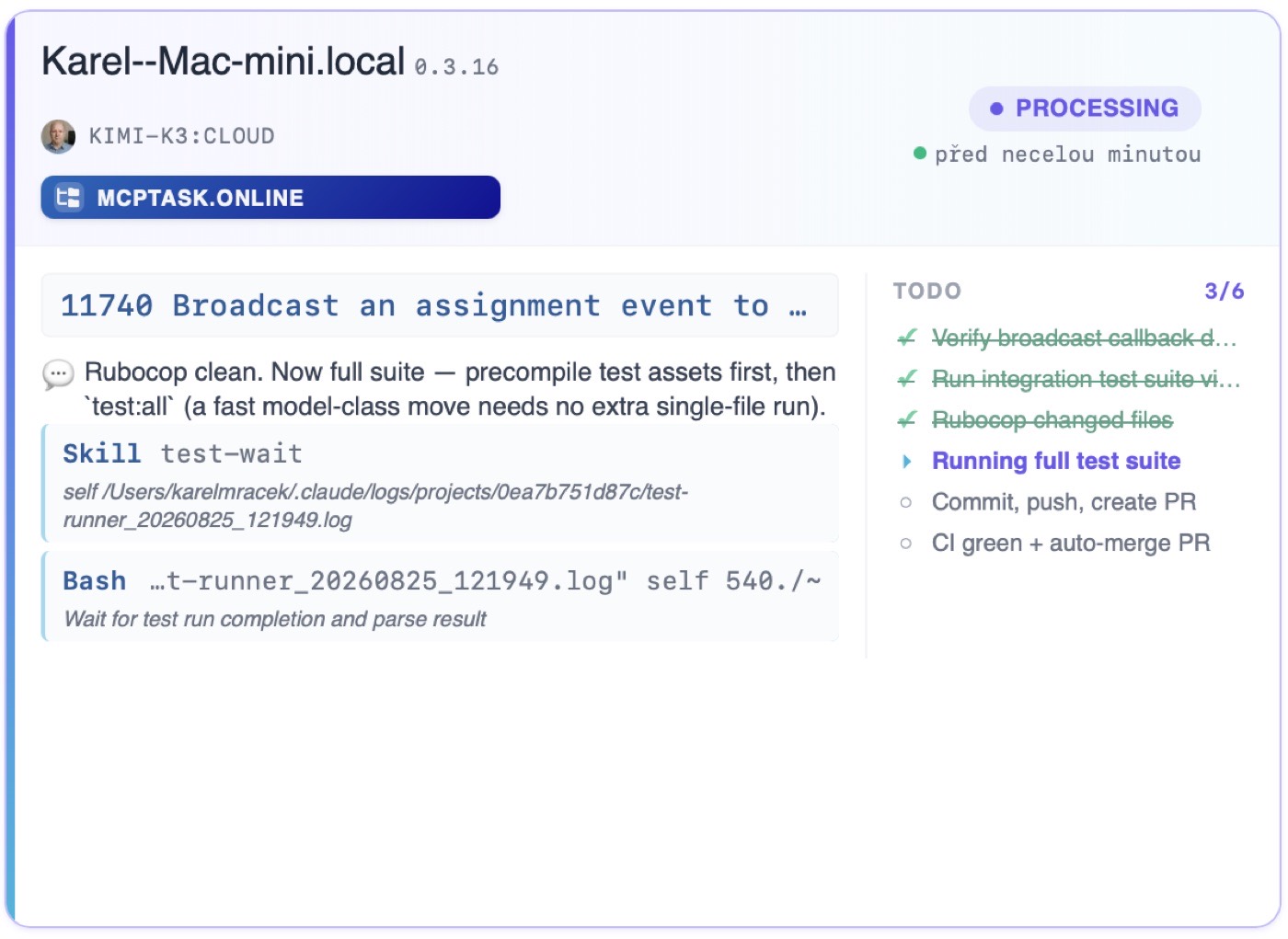
For example, four runners, four different models - including cheap ones. They run on your machines against your real environment, not inside someone else's sandbox.

Sample view of a live runner activity dashboard

Runner activity

4connectedΒ·3working
sync_altAI runners stream their work live to this dashboard over the MCP protocol

mac-mini-ci.local

MINIMAX-M3:CLOUDaccount_treeMCPTASK.ONLINE
Processing03:08:11
#4821 Add OAuth login to the signup wizard

πŸ’­The callback already verifies state β€” reusing it for Google login…

  • Editapp/models/user.rb2.1s
    Wire provider column into auth flow

dev-runner-02.local

HAIKU-4.5:LOCALaccount_treeACME WEBSHOP
Finished03:08:11
#4805 Fix the flaky checkout system test

πŸ’¬{"TASKRUNNER_RESULT": true, "status": "success", "pr_number": 1287}

    agent-eu-west.cloud

    KIMI-K2.7:CLOUDaccount_treeDATA PIPELINE
    Processing03:08:11
    #4818 Speed up the nightly import job

    πŸ’¬Tests are green β€” committing and opening a PR.

    • Bashgh pr create --fill4.0s
      Create pull request

    build-box-01.local

    MINIMAX-M3:LOCALaccount_treeMOBILE API
    Starting03:08:11
    #4823 Rate-limit the public API endpoints
      MCPProtocol
      Live data streaming

      auto_awesomeWhen a runner hits a failing test in code it was not asked to touch, it files its own tracked Bug task, branches off, fixes it, merges, and comes back. Nobody else ships that loop end-to-end.

      peoplePerfect For

      Built for Outcomes, Not Parity

      Use cases written for the person signing the invoice - not the person writing the code

      person_off
      Capacity gap

      Short on developers, can't hire fast enough

      You have a backlog that won't shrink. The agents pick up the well-defined tasks overnight, log their work, and open PRs. Your team reviews in the morning instead of typing.

      Problems Solved
      • check
        Backlog grows faster than the team
      • check
        Overtime costs and missed deadlines
      • check
        Hard to find senior developers
      • check
        Losing deals because of slow delivery
      starAgents close PRs, humans stay in review
      See Capacity Solutionsarrow_forward
      01
      savings
      Cost ceiling

      Bootstrapping - cheap models, not premium APIs

      Premium model APIs eat your runway. mcptask.online is model-agnostic - the same agent harness runs Claude, GPT, or cheap open-weights models. Pay for what closes the task, not for the brand.

      Problems Solved
      • check
        Premium API bills spiral out of control
      • check
        Forced to use a single vendor
      • check
        No way to run cheaper models for the easy tasks
      • check
        Runway shrinks while productivity grows
      starSame harness, any model - including cheap ones
      See Model-Agnostic Pricingarrow_forward
      02
      schedule
      Async handoff

      Need it done while you sleep

      Hand off a well-defined task before you leave. Agents work overnight against your real tests. You wake up to a merged PR, a work log, and a draft invoice. No copy-paste of context the next morning.

      Problems Solved
      • check
        Loosing evenings to setup and context-switching
      • check
        Time-zone waits for the offshore team
      • check
        Manual work logging the next day
      • check
        Invoices delayed by a week
      starHand off in the evening, merged PR in the morning
      See Async Workflowarrow_forward
      03
      forum
      Chat-first management

      Don't want to learn yet another PM tool

      Manage projects from Claude Cowork, Claude Desktop, or any MCP client. Ask for a status, create a task, log a meeting - all from chat. The agents work from the same queue.

      Problems Solved
      • check
        Clicking through menus for every update
      • check
        PM tools the team refuses to adopt
      • check
        Reports that nobody reads
      • check
        Context lost between tools
      starWorks in Claude Cowork, Claude Desktop, and other MCP clients
      See Chat-First Managementarrow_forward
      04
      The Challenge

      Your AI Assistant Is Working Blind

      AI coding tools are powerful, but they can't see your task system

      content_copy

      Copy-Paste Context Every Time

      Every time you start with Claude Code or Copilot, you manually paste the task description, acceptance criteria, and context. Over and over. For every task.

      timer_off

      No Automatic Work Logging

      Your AI assistant helped fix 5 bugs today. But your task system shows nothing. You spend 30 minutes reconstructing what was done and logging it manually.

      playlist_remove

      AI Can't Pick Up the Next Task

      You want AI to work through your backlog automatically. But it can't see the queue, can't prioritize, can't move to the next task when done.

      search_off

      No Audit Trail of AI Work

      Your manager asks: 'What exactly did the AI do on this feature?' You have no structured answer. Chat logs are scattered. Nothing is documented.

      verifiedThe Solution

      Give Your AI a Proper Task System

      mcptask.online provides a dedicated MCP server that AI agents speak natively

      install_desktop

      Zero-Config Team Onboarding

      One command (`bundle exec rake mcptask_runner:install`) provisions the MCP connection, Claude Code skills, baseline permissions, and your access token. On macOS it also offers a weekday 08:00 scheduler. `rake mcptask_runner:update` keeps skills current without overwriting local tweaks. Seniors stop wrestling with `.mcp.json` and token plumbing.

      check_circleYour team is AI-ready in minutes, not hours
      01
      dns

      AI Speaks MCP. So Do We.

      Our MCP (Model Context Protocol) server lets AI assistants like Claude Code read tasks, understand context, and log work - using the same protocol they speak natively. No scraping. No fragile APIs. Clean, structured communication.

      check_circleAI gets full task context instantly
      02
      smart_toy

      Set It and Let It Work

      One command (`bundle exec rake mcptask_runner:install`) provisions the MCP connection, Claude Code skills, baseline permissions, and your token. Then the AI agent fetches the next highest-priority task, completes the work, logs progress, and moves on. Human oversight when needed. Full automation when appropriate.

      check_circleAI works through your backlog 24/7 β€” no manual plumbing
      03
      merge

      Your Code Is Your Timesheet - and Your Invoice

      Connect repositories via webhooks. Commits automatically log time. Pull requests link to tasks. Merges update status. On the Professional plan, the same data flows straight into Fakturoid or iDoklad as a draft invoice. No other tool covers the whole loop, from a task to a paid invoice.

      Task -> Agent work -> PR -> Merge -> Timesheet -> Draft invoice in Fakturoid / iDoklad

      check_circleOne lifecycle, from backlog to paid invoice
      04
      groups

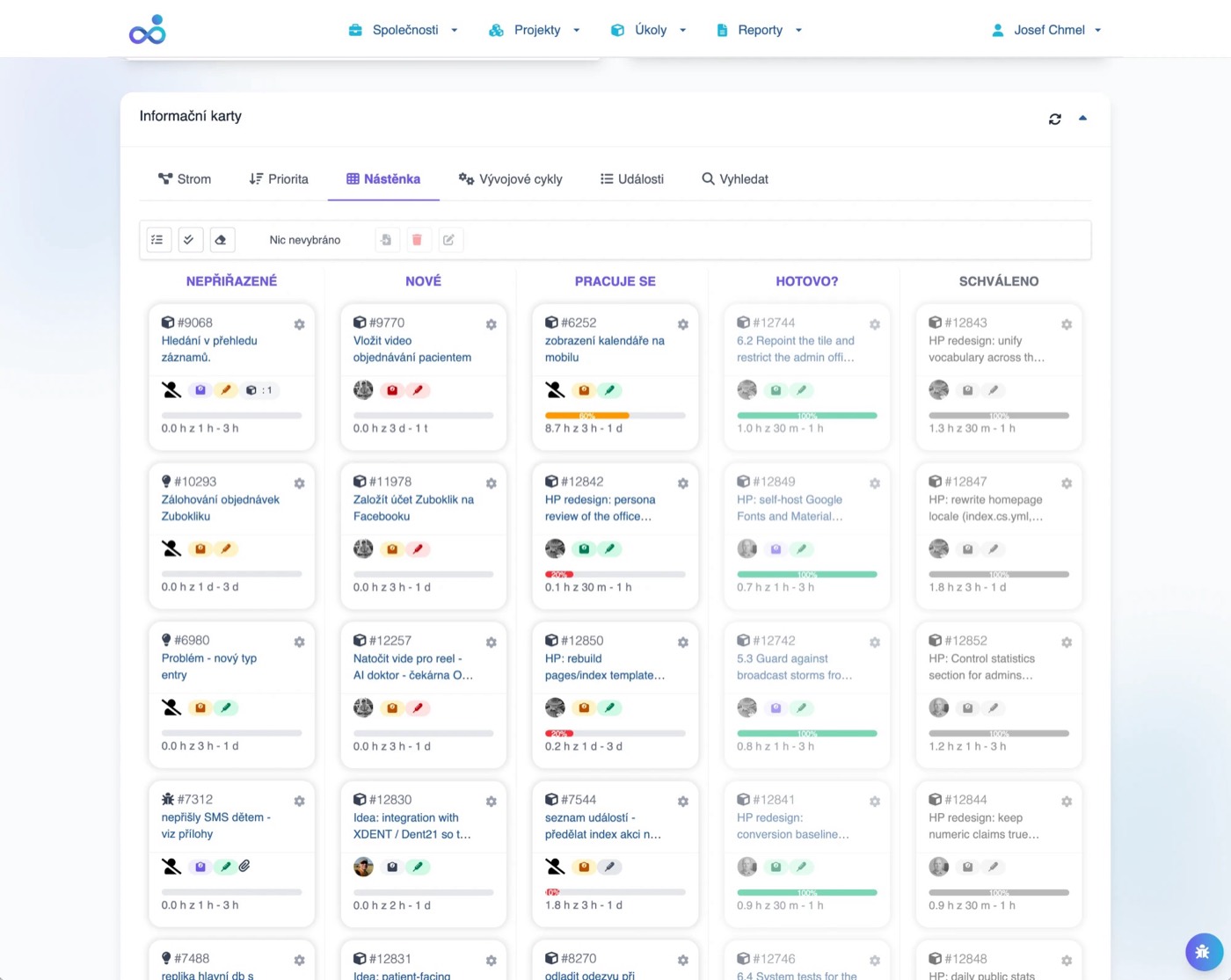
      Same Tasks, Different Interfaces

      Humans use the elegant web interface. AI uses the MCP server. Both see the same tasks, same progress, same history. Complete transparency.

      check_circleEveryone knows what's happening
      05
      account_tree

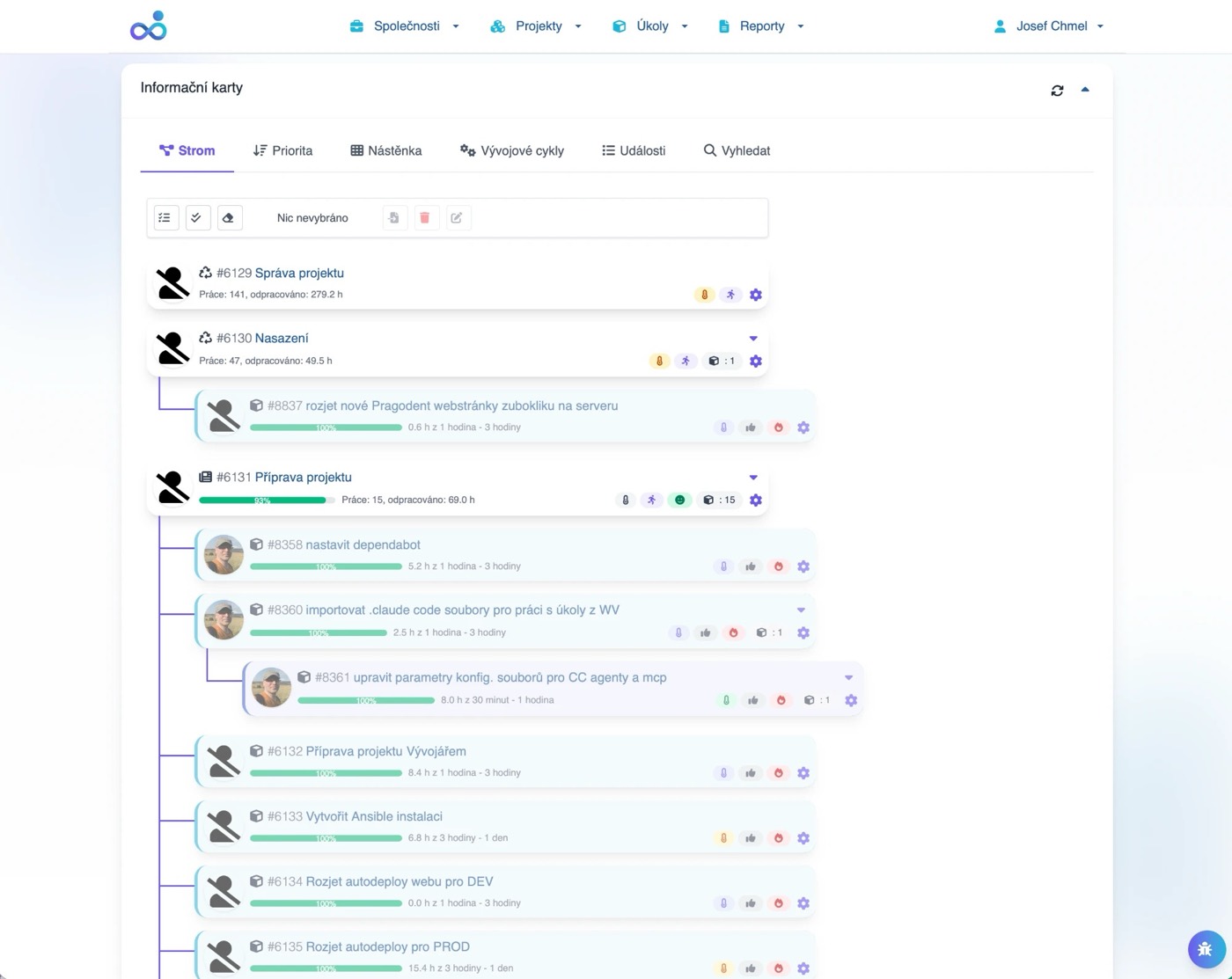
      Epic > Story > Task > Subtask

      Organize work the way it actually happens. Large features break into stories. Stories break into tasks. Tasks can have subtasks. AI and humans navigate the same structure.

      check_circleReal projects, real organization
      06
      history

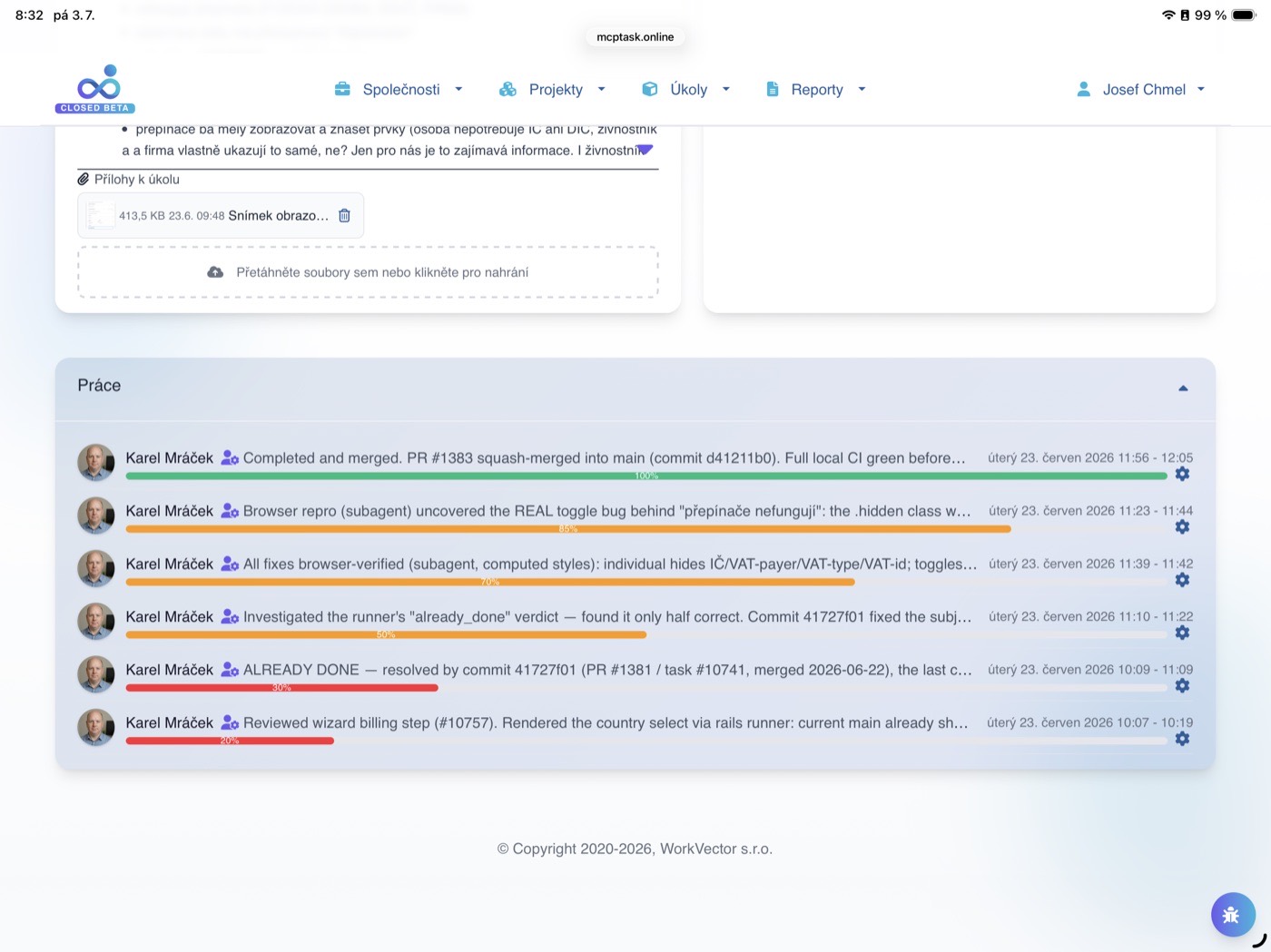
      Who Did What, When

      Every action is logged: task created by human, picked up by AI, progress logged, status changed, completed. Full attribution. Full history. Full accountability.

      check_circleNever wonder 'who did this?'
      07
      rocket_launchQuick Start Guide

      Four Steps to an Autonomous Developer

      Create your account, reserve a machine for the agent, add the agent as a user, then run one install command

      1
      person_add
      schedule2 minutes

      Create Your Account

      • check_circleSign up with email (no credit card for trial)
      • check_circleCreate your workspace
      • check_circleImport existing tasks from Jira/Trello (optional)
      2
      computer
      scheduleOne-time prep

      Set Up a Machine for the Agent

      • check_circleDedicate a PC or Mac that will run the agent
      • check_circleCreate source-control accounts (GitHub/GitLab) so the agent can push branches and open PRs under its own identity
      • check_circleClone and run your project on that machine
      • check_circleInstall Claude Code
      3
      person_add
      schedule1 minute

      Add the Agent as a User

      • check_circleCreate a user for the AI agent in your mcptask.online project
      • check_circleThe agent picks up tasks, logs work, and changes status under its own identity
      • check_circleFull attribution: you always know who did what
      4
      terminal
      schedule~2 minutes

      Run the Installer β€” One Command

      • check_circleIn your Rails project run `bundle exec rake mcptask_runner:install`
      • check_circleIt writes `.mcp.json`, installs skills, merges permissions, and provisions your token
      • check_circleOn macOS it also offers a weekday 08:00 scheduler
      • check_circleFrom then on you just assign tasks β€” the agent does the rest
      auto_awesome

      After Setup

      After setup, the agent works autonomously. You review completed work and steer priorities.

      chat
      terminalRead-only client

      Just want to chat with your tasks?

      If you only need a task-aware assistant in Claude Code or any MCP client, connect manually with this tiny `.mcp.json` snippet.

      .mcp.json
      {
      "mcpServers": {
      "mcptask-online": {
      "type": "sse",
      "url": "https://mcptask.online/mcp/sse",
      "headers": {
      "Authorization": "Bearer ${MCPTASK_TOKEN}"
      }
      }
      }
      }

      This is the lighter path β€” no runner, no autonomous PRs.

      Ready to collaborate
      attach_moneyPricing Plans

      Simple Pricing That Scales

      Start free. Upgrade when your AI does more work than you expected.

      For Solo Developers with AI

      Starter

      $19/month

      Prices exclude VAT (+ VAT where applicable)

      Min. 2

      Solo developers using AI assistants

      • check
        2 users (1 human + 1 AI)
      • check
        5 active projects
      • check
        Unlimited tasks
      • check
        MCP Server access
      • check
        GitHub/GitLab integration
      • check
        Basic reporting
      • check
        Email support
      Start Free Trialarrow_forward
      Most Popular

      Professional

      $14/user/month

      Prices exclude VAT (+ VAT where applicable)

      Min. 5

      Teams using AI-assisted development

      • check
        Everything in Starter, plus:
      • check
        Unlimited projects
      • check
        Unlimited team members
      • check
        Advanced MCP features
      • check
        Sprint management
      • check
        Advanced reporting
      • check
        Team roles & permissions
      • check
        Integrations (Jira, Trello, Redmine, Fakturoid, iDoklad)
      • check
        Priority support
      • check
        10 GB storage per user
      • check
        API access
      Start Free Trialarrow_forward
      Dedicated Server

      Enterprise

      Min. 200

      Organizations running multiple AI agents at scale

      • check
        Everything in Professional, plus:
      • check
        Dedicated server
      • check
        Unlimited team members
      • check
        Custom training
      • check
        Continuous updates
      • check
        Regular server maintenance
      • check
        Dedicated server storage
      • check
        Payment only for server operation and maintenance
      Contact Salesarrow_forward
      check_circleAll plans include unlimited AI agent connections via MCP server
      format_quoteCustomer Stories

      Teams Using AI Assistants Trust mcptask.online

      format_quote

      "Finally, my Claude Code sessions have full context. It reads the task, understands the requirements, and logs its work automatically. No more copy-paste ceremonies."

      trending_up90% less context setup time
      M
      Martin V.
      Full-Stack Developer
      Using Claude Code daily
      format_quote

      "We run 3 coding agents overnight. mcptask.online is their task queue. Every morning we review what they completed. Full transparency, zero manual logging."

      trending_up24/7 autonomous development
      S
      Sarah K.
      Engineering Manager
      AI-first startup
      format_quote

      "The GitHub webhook integration means I never log time manually. Commit message includes task reference, time is logged automatically. AI or human, doesn't matter."

      trending_upZero manual time entry
      J
      Jan S.
      Team Lead
      10-person dev team
      format_quote

      "Switched from Jira. Setup took 30 minutes instead of 3 days. Now we're ready for AI assistants when we adopt them. Already cleaner than Jira was."

      trending_up30 min setup vs 3 days
      P
      Petra D.
      Project Manager
      Digital agency
      verifiedSocial Proof

      Trusted by AI-Forward Teams

      task_alt
      1,200+

      Tasks Completed by AI

      AI agents using MCP server to complete work

      schedule
      2,000+

      Hours Logged

      Automatically and manually tracked

      cloud_done
      99.9%

      MCP Server Uptime

      AI agents always connected

      timer
      1

      Command to install

      On a machine with your project and Claude Code ready

      Trusted By
      shieldGDPR Compliant
      dnsEU Data Centers
      paymentsStripe Payments
      help_outlineFAQ

      Frequently Asked Questions

      Q1

      How are you different from Copilot Workspace, Codex or Devin?

      expand_more

      Four things other AI coding tools don't have. First, model-agnostic: the same harness runs Claude, GPT, or any open-weights model - including cheap ones - so you never get locked into a premium API bill. Second, runs on your infrastructure against your real database and your real tests, not inside someone else's sandbox. Third, the only tool that covers the whole lifecycle, from a task in the backlog to a draft invoice in Fakturoid or iDoklad. Fourth, zero-config setup: one command provisions the MCP connection, skills, permissions, and token, while rivals leave your senior staff wiring agent configuration by hand.

      Q2

      What is MCP and why does it matter?

      expand_more

      MCP (Model Context Protocol) is the standard protocol that AI assistants like Claude use to communicate with external tools. mcptask.online provides a dedicated MCP server, meaning AI can read your tasks, update status, and log work using its native language - not through fragile web scraping or custom APIs. You don't build the connection manually - the runner provisions it during install.

      Q3

      Which AI assistants work with mcptask.online?

      expand_more

      Any AI assistant that supports MCP protocol: Claude Code, Claude Desktop, and other MCP-enabled tools. The MCP server provides read and write access to tasks, efforts, and project data.

      Q4

      Can AI agents work autonomously?

      expand_more

      Yes! Configure your AI to fetch the next highest-priority task, complete it, log progress, and move on. You set the boundaries (which projects, which task types). AI works within those boundaries.

      Q5

      How does GitHub/GitLab integration work?

      expand_more

      Add our webhook to your repository. When developers (human or AI) commit code with task references (e.g., '#Task-47 2h'), mcptask.online automatically logs the time and updates the task. Pull request merges can auto-complete tasks.

      Q6

      Is my data secure?

      expand_more

      Yes. All data encrypted at rest and in transit. Servers in EU data centers. GDPR compliant. Role-based access control means AI agents only see what you authorize.

      Q7

      Can I import from Jira or Trello?

      expand_more

      Yes! Professional and Enterprise plans include import tools for Jira and Trello. Your existing tasks, hierarchy, and history come over. Then connect AI and enhance your workflow.

      Q8

      Do I need technical skills to set up MCP?

      expand_more

      Practically no. `bundle exec rake mcptask_runner:install` runs the whole setup (MCP `.mcp.json`, token, skills, permissions, and a weekday scheduler on macOS) in about 2 minutes, and `rake mcptask_runner:update` keeps skills current without overwriting local tweaks.

      Q9

      What happens to my data if I cancel?

      expand_more

      Export all data (JSON, CSV) before canceling. We retain data 90 days in case you return. After 90 days, permanently deleted per GDPR requirements.

      Q10

      Do AI agents count as users for billing?

      expand_more

      Yes! Each AI agent has their own user in the system. AI agents can connect to MCP unlimited times, but their actions are logged.

      Q11

      Can I try before committing?

      expand_more

      Yes! 30-day free trial with full features. No credit card required. Connect your AI assistant during trial.

      securityEnterprise Security

      Enterprise-Grade Security for AI Workflows

      01
      shield

      GDPR Compliant

      Full EU data protection compliance

      02
      dns

      EU Data Centers

      Data stored in Frankfurt, Germany

      03
      hub

      MCP Protocol

      Native Model Context Protocol support

      04
      admin_panel_settings

      Role-Based Access

      AI sees only what you authorize

      05
      history

      Audit Logging

      Every AI action logged and traceable

      06
      speed

      99.9% Uptime

      SLA-backed reliability

      verified_user

      Your data is protected by enterprise-grade security

      rocket_launch

      Ready to Let AI Actually Help?

      Hand off a well-defined task tonight. Wake up to a merged PR and a draft invoice.

      calendar_today
      30-day free trial - No credit card required
      timer
      One-command runner setup - Machine prep is the only one-time work
      smart_toy
      Unlimited AI agents - No extra charge for MCP connections

      verified_userTrusted by AI-forward teams. GDPR compliant. EU servers. Cancel anytime.